Showing posts with label Java Program Code. Show all posts

Snake Crawling Horiontally : Start And Stop Swing Based Java Program


Snake crawling is a program , in which snake position is set in a frame . The frame is provided with two buttons start and stop . When user presses a start button then the snake starts crawling  in horizontal direction (or East direction) . User has the freedom to stop the movement of snake by pressing the stop button provided in the frame .This is an applet based application .  Here snake is represented by **** .
A user can reset the position of the snake by changing the values in the program provided below .
The program given below is run  by giving following inputs


                             appletviewer    SnakeCrawling.java

Remember the above command is to run the program , before that you need to run one more command to get the class file of the program , that is

                            javac     SnakeCrawling.java

The points to understand and learn in this program are :

* It does not matter how many times you call repaint() method , it will only execute once in a method . 
   Remember  the scope we are talking about is method .
* Whenever the repaint() is called , it initialises the applet and then run the paint() method again .
* drawString(s ,x ,y ) takes three parameters where s is the string that needs to show at (x,y) position in the
   frame . 

Please also note that in the awt and Swing , if we want to do some task or event at the press of button in our
frame then we use event handler. To use event handler , here , on pressing the button .
First step is to implement the ActionListener interface .Then we need to override the actionPerformed(event)
method . In the actionPerformed method , the action to perform after pressing the button ,code is written .

Here you can also make the snake move vertically ,what you need to do is that increment y with  10 each time  in the for loop of the paint method .

In the last part of the code we are checking whether the snake does not cross the frame .
if(x>285)
If it does then we are calling repaint() which actually initialises the paint method again , and our snake will continue to crawl in the frame horizontally.

There is another important thing in the code , to make the java compiler understand that its a Applet file we need to write the following code in the java program
/* <APPLET CODE=ClassName.class WIDTH=X HEIGHT=Y></APPLET> */

Without the above line the java compiler will treat the code as simple java program . But the above line helps java compiler to make the code appletviewer compatible.

Demo :
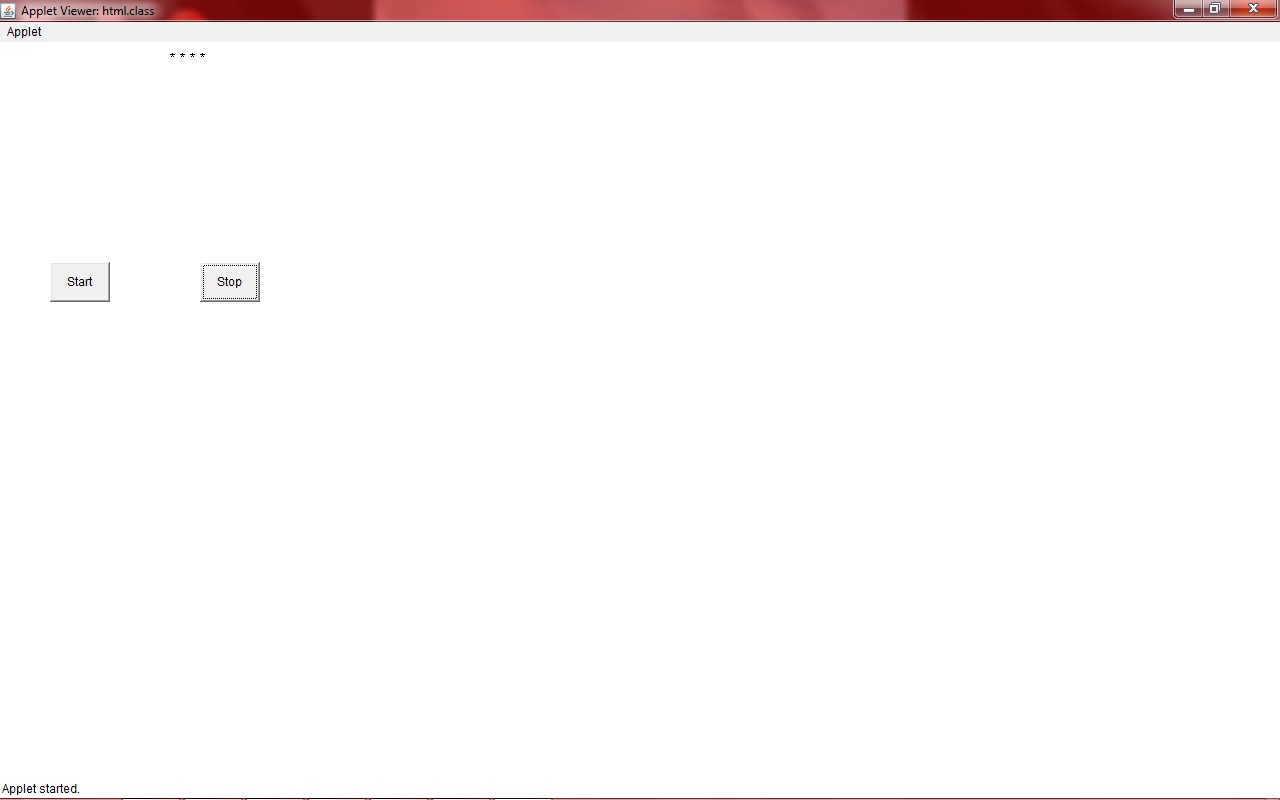
                       
start and stop swing based java program

Please find the Code below :

import java.awt.*;
import java.awt.event.*;
import java.applet.Applet;
/*  */

public class SnakeCrawling extends Applet implements ActionListener
{
    int x=10,y=20,i,s=0,k=0;
    Button b1,b2;
    public void init()
    {
        setLayout(null);
        b1=new Button("Start");
        b2=new Button("Stop");
        add(b1);
        add(b2);
        b1.setBounds(50,220,60,40);
        b2.setBounds(200,220,60,40);
        b1.addActionListener(this);
        b2.addActionListener(this);
    }
    
    public void actionPerformed(ActionEvent e)
    {
        if(e.getSource()==b1)
        repaint();
        if(e.getSource()==b2)
        {
            k=1;
            repaint();
            
        }
    }
    
    
    public void paint(Graphics g)
    {
        
        if(s==1)
        {
            for(i=0;i<1;i++)
            {
                System.out.println("helooo");
                g.drawString("*",x,y);
                g.drawString("*",x+10,y);
                g.drawString("*",x+20,y);
                g.drawString("*",x+30,y);
                if(k==1)
                break;
                x=x+40;
                //      repaint();
                
                System.out.println("over ");
                try
                {
                    Thread.sleep(300);
                }
                catch(InterruptedException e1)
                {}
                System.out.println("oleeee");
                if(x>285)
                x=10;
                repaint();
            }
            

        }                                   
  
      if(s==0)                           
        {
            g.drawString("*",0,20);
            g.drawString("*",10,20);
            g.drawString("*",20,20);
            g.drawString("*",30,20);
            s++;
        }
    }
}

Deque Implementation : Double Ended Queue Java Program Source Code


Deque , is a short abbreviation of  Double Ended QUEue . Java provides Deque class , which is found in java.util package . Here we try to apply the functionality of deque in the console based java programming .  Deque is an abstract data  type which is a generalize form of queue .
In deque the elements can be added or removed  only from two  ends i.e   beginning and tail end .
A-Steal job scheduling algorithm is an example of deque implementation.

Here in this below example , you can select the add ,remove , display or exit  functionality by choosing the number in front of the options .
If you selected the add  or remove functionality then there will be two more actions you can perform, you can either add or remove them from end or at beginning . For front end insertion/deletion press a or rear end insertion /deletion press b .

Here in deque there are two pointers associated with each link .

                                     --->                 --->                --->              -->                 
                          5                          2                      4                34                27
                                     <---                 <---                 <---              <--

Actually in java there are built in methods to perform the task which are done by deque .

Deque can perform the following functions : JAVA  built in methods

* Insertion at  the front                                                                                       offerFirst
* Insertion  at the back                                                                                       offerLast
* Remove element from the front                                                                         pollFirst
* Remove element from the back                                                                         pollLast

These methods are found in the java.util.ArrayDequeue class in java . If you see the oracle docs then you will   find two more methods in the class addFirst() and addLast()  , then one obvious question arises what is the difference between offerFirst and addFirst  methods .
The difference is in the return type of the two methods , addFirst() methods return type is void while the return type of the offerFirst() method is boolean . So we can use offerFirst() method in the condition of the loops as well . Similar difference also exist between the addLast() and offerLast() method of the arraydeque class .

There is also  removeFirst() and removeLast() methods in the arraydeque class , then the question arises why we choose pollFirst() instead of removeFirst() .
The only difference between the pollFirst and removeFirst methods  is that the pollFirst() method has extra feature  , that is , if the deque is empty  then the pollFirst() method will return null .
Similar is the reason of difference between pollLast() and removeLast() methods .


Pseudo code :

1. Choose add,remove,display or exit from the menu
2. If add
             2.1  choose rear or front
                     inserted
3. If remove
             3.1  choose front end or rear end
                     deleted
4. If display
              show all elements in the deque to the console
5. If choose exit
               then program shuts down


Here we intentionally use the skip method to read the characters from the console . The functionality of the skip method is to skip the specified number of inputs from the input stream .
Suppose n is 2
so skip(5 * n) ,
that is skip(10)  , so it will skip the 10 characters in the input stream or in other words start reading the input stream from the 11 th character .

One example of deque implementation is the A-Steal job scheduling algorithm . This algorithm implements task scheduling for various processors .


Demo :

Deque insertion and deletion front and rear end

Please find the Code below :
 

import java.io.*;
import java.util.*;
public class Dequeue
{
    static char s,s1=' ';
    static int n=0;
    public static void first(LinkedList l)
    {
        System.out.println("1. add");
        System.out.println("2. remove");
        System.out.println("3. display");
        System.out.println("4. exit");
        //   System.out.println(l);
        try
        {
            System.in.skip(5*n);
            char s=(char)System.in.read();
            //      System.out.println(s);
            choose(l,s);
        }
        catch(Exception e){}
    }
    
    public static void main(String as[])
    {
        LinkedList l1=new LinkedList();
        first(l1);
    }
    
    public static void choose( LinkedList l,char s) throws Exception
    {
        n++;
        if((s=='1')||(s=='2'))
        {
            System.out.println(" a) Front end");
            System.out.println(" b) Rear end");
            System.out.println(" c) back");
            work(l,s);
        }
        else if(s=='3')
        {
            System.out.println(l);
            rest(l);
        }
        else if(s=='4')
        {
            System.exit(0);
        }
        
        else
        {
            System.out.println(">>>>>>  BAWARI PUCCHH SAHI DAL <<<<<<<<");
            rest(l);
        }
    }
    
    public static  void work(LinkedList l,char s) throws Exception
    {
        System.out.println("Enter the choice ");
        System.in.skip((5*n)+2);
        char s1=(char)System.in.read();
        //    System.out.println(s1);
        if(s1=='c')
        {
            first(l);
        }
        else if(s=='1')
        frontEnd(s1,l);
        else if(s=='2')
        backEnd(s1,l);
    }
    
    public static void rest(LinkedList l)
    {
        try
        {
            Thread.sleep(2000);
            first(l);
        }
        catch(Exception e){};
    }
    
    public static void frontEnd(char s1,LinkedList l) throws Exception
    {
        if(s1=='a')
        {
            System.out.println("Enter the String");
            System.in.skip((5*n)+4);
            char s2=(char)System.in.read();
            l.offerFirst(s2);
            //     System.out.println(l);
            rest(l);
        }
        else if(s1=='b')
        {
            System.out.println("Enter the character");
            System.in.skip((5*n)+4);
            char s2=(char)System.in.read();
            l.offerLast(s2);
            //     System.out.println(l);
            rest(l);
        }
        else
        {
            System.out.println(">>>>>>  BAWARI PUCCHH SAHI DAL <<<<<<<<");
            rest(l);
        }
    }
    
    public static void backEnd(char s1,LinkedList l)
    {
        if(s1=='a')
        {
            if(l.size()!=0)
            l.removeFirst();
            else
            System.out.println("please insert elements first(:(: BAWARI  PUCCCHHH :):)");
            //     System.out.println(l);
            rest(l);
        }
        else if(s1=='b')
        {
            if(l.size()!=0)
            l.removeLast();
            else
            System.out.println("please insert elements first (:(: BAWARI  PUCCCHHH :):)");
            //      System.out.println(l);
            rest(l);
        }
        else
        {
            System.out.println(">>>>>>  BAWARI PUCCHH SAHI DAL <<<<<<<<");
            rest(l);
        }
    }
    
}